



Pallet distribution on a trailer with the use of the simulator
In the case of small-scale transport using a standard semi-trailer and euro pallets, load planning should not be a problem. The challenge arises when a large number of loads with different dimensions are to be distributed over several vehicles.
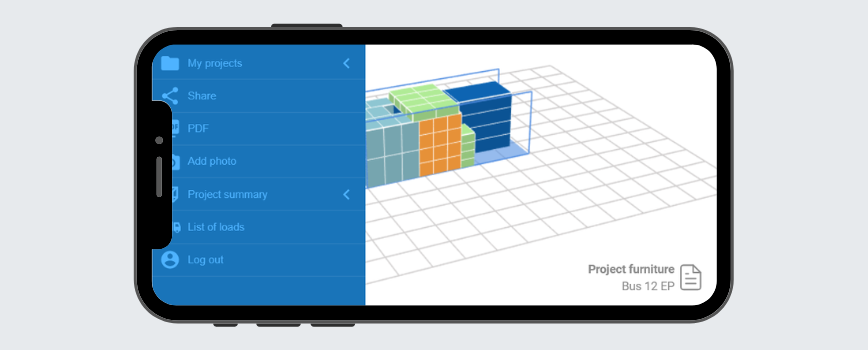
In such situations, a dedicated application will be the best solution. A popular tool used by forwarders and logisticians all over the world is Goodloading. It is a simple load planner that will indicate the best pallet distribution on the semi-trailer, taking into account information such as vehicle payload, sequence of loading or axle loads. Goodloading is also a container loading software.
Load planning in Goodloading is as simple as putting Lego bricks together
Goodloading is available in two versions – free and PRO. In the free version users cannot add their own loads and spaces, but can use those available in the application. The selection list includes loads with euro pallet, industrial pallet or enlarged euro pallet dimensions, as well as vehicles such as vans, solos, standard and mega semi-trailers. Therefore, if you want to know how many pallets go on a truck, you will find the answer in the free version of the app.
For less standard loads and vehicles, you will need to use the PRO version of the application, in which you can add your own loads and cargo spaces. This can be done manually or, in the case of a large number of loads, by uploading a list from an Excel file. This solution allows you to prepare your loading project even faster.
Once loads and vehicles have been added, they are visible in the 3D visualisation. The user can manually adjust the arrangement. The finished design can be sent to the person responsible for loading as a link or a PDF file, which will speed up the distribution of the load on the semi-trailer.
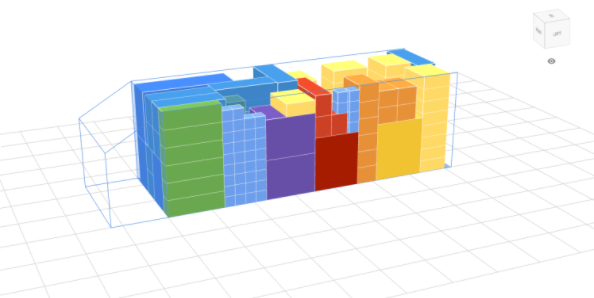
If you are additionally wondering how to calculate the load volume, this information can be found in the summary of the entire project, so no calculations are required. The summary is visible below the visualisation and contains loading data such as the number of loaded and unloaded goods, the total weight of the loaded cargo and the free space in m2. Goodloading also includes the LDM calculator that will indicate free and occupied LDMs.
Stacking pallets on the semi-trailer properly ensures that neither the axles nor the permissible payload of the vehicle are exceeded, thus avoiding a possible fine during the inspection. Using the application also saves time spent on stacking pallets and reduces the risk of errors when loading the vehicle.